Well I have toyed with the idea for a while - but I have taken my first plunge in to preparing some video tutorials for my students.
Those who know me would say that this was NOT a first. That I had in fact done all kinds of tutorials about different technologies and uses in the classroom.
What makes this different is that I am setting about preparing videos around the course I teach - a subject in NSW called Information and Software Technology and I am sticking them "out there" for others to provide feedback on and use.
This for me is scary!
But based on my experience of over 30 years of working in high school teaching, I think its a fear shared by many high school teachers. Is what I am doing correct? Have I done this the best way? Is this going to best benefit my students? Is my style of teaching okay? Am I covering the syllabus correctly? Is everything factually correct?
As a beginning high school teacher many years ago, I was given my timetable, my programmes my students - was sent in to the classroom - and then the door was closed.
I was on my own.
And I have survived (somehow)
But what this tends to do for many teachers is force them to work on their own. They don't seem to collaborate in the same that I see my primary colleagues work together.
I would be very interested in hearing from anyone who reads this blog post as to their feelings/beliefs about collaboration between high school teachers - within a school, within a system, globally.
I know for me one of my personal challenges in recent years is to take the chance and just start putting stuff "out there". For me, personally this is a struggle because I do worry that its not good enough or might be wrong. But this process has taught me a lot!
At times it is reaffirming - its great to receive a positive comment or a remark that someone is using something that you have created.
But its also a way in which I can learn - that I can improve.
I believe as an educator that being prepared to take risks - being prepared to make mistakes (lots of them) is such an important part of learning and improving.
I could quietly create these resources for use by MY students in MY classroom - but I choose to share them because hopefully it will make someone else's work a little easier - just as I stand on the shoulders of others who have shared their wonderful work with me.
I think its a shame in this day and age - where there is so much talent in our schools - where we can all be publishers of all kinds of digital media - that we spend so much money purchasing text books that don't really meet the needs of a our modern classroom.
Take a chance today. Share with your (global) colleagues something that you have created for your classroom. A great learning experience. A collaborative project. A story.
Its been a while between posts and a lot has happened.
Tonight I have taken the time to bring my various posts from around the web together under my (relatively) new CEO Cloudshare account.
What is Cloudshare I hear you ask? Cloudshare is the Catholic Education Office, Sydney's deployment of the Google Apps For Education (GAFE) environment.
We now have a system wide deployment of a collaborative virtual learning environment and the challenge for myself and others in my role is encouraging staff to take advantage of this powerful collaborative tool.
Teachers are generally time poor - and this is not going to improve as we all are called to implement the NSW Board of Studies Syllabuses for the Australian Curriculum. I have written before that the only constant in modern life - is CHANGE.
If we get this right - instead of working in isolation (as individuals or individual staffs), teachers can collaborate and share the work load with others that have an interest in their area of teaching - at a time and place that suits the individuals involved.
To steal a line I heard recently - you don't have to be sitting at your desk to work.
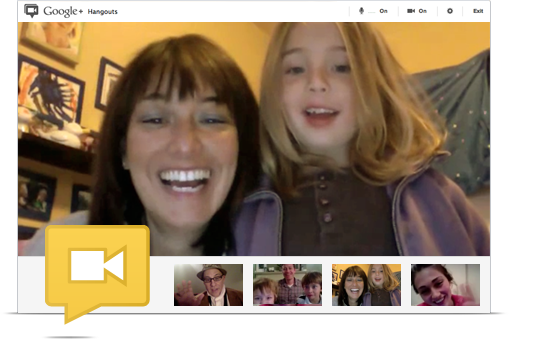
You don't have to be in the same room to work collaboratively. With Google Hangouts you can easily connect with others face to face, sharing resources, hosting virtual meetings - all from a location that suits you - your classroom, desk in the staff room, home, beach - where ever.
With Google Drive its easy to share all kinds of resources as well we collaborating on teaching programs using Docs and developing teaching resources that can be used by multiple teachers. Teachers create wonderful resources for their students and their classrooms - but all too often these resources don't get shared. And the task of creating such resources gets replicated time and time again.
There are other tools available too such as the social bookmarking tools Delicious and Diigo. Twitter is another great tool for collaboration.
But my experience is that many teachers find it hard to engage professionally in an online world. I would love to hear feedback via comments as to why this is so? Are you reluctant to engage in online collaboration? Are you an avid user? Have you developed a PLN? What are your thoughts?
Later this year (June 14 and 15), I will be leading a cohort at the IWBNet Third National ITL MasterClass Conference, which will have at its focus how contemporary educators can make use of such online tools. I look forward to the journey and challenges that preparing for this conference will bring.
In recent times we have
seen our society being divided up and referred to by “cultural
generations”. Terms such as The Baby Boomers, Generation X and
Generation Y are used to describe groups born within a rough time period
that have certain shared cultural experiences.
A
term that became popular back in the1960s (and is still widely used
today) to describe the differences between generations, is the
Generation Gap. Bridging the Generation Gap continues to be a struggle
for all parents (and teachers).
Our students belong
to what is termed Generation Z - the so-called “net” generation. They
have grown up in a highly technological world which has seen them
rapidly embrace connected technologies such as mobile phones and the
Internet.
In many cases they have left the older generations wondering what this is all about.
As
adults we naturally care for their well-being but are often daunted by
not understanding the technologies with which they are engaged and fear
for their safety.
As this technology is not going
away, may I highly commend to all parents and teachers that you, for the
sake of your children if not for yourself, take the time to understand
your childrens' world. Engage in the online social world so that you are
in a position to understand what is really happy.
Just
as in so many aspects of life - the media loves nothing more than a
story that highlights the negative side of human behaviour. Is it any
wonder that all we ever really hear is bad things about the online
world???
Whilst FaceBook, Tumblr, MySpace, Twitter,
etc may not be for you - get in and find out what its all about. Merely
(attempting to) blocking students access to such technology will not
help them. Banning them will often only bring resentment.
It
is important we build relationships with our children - that they feel
they can come to us when they have a problem. They are not going to come
to us with an online problem is they feel we are simply going to ban
them when they have had a problem online.
At all
times, we must always keep in mind that technology in itself is not evil
and if a child comes to you with a problem involving technology - that
at the heart of the problem is human behaviour.
As a wise colleague once said
"You don't teach healthy living by merely locking the refrigerator".
Anyone who stops learning is old - whether at twenty or eighty (Henry Ford)
Today I was watching a video with my class. We are currently exploring the origins of the Internet and were watching Nerds 2.0.1 - an entertaining look how the Internet has come to be. Whilst this documentary was produced in 1998 (at the height of the dot com boom) and in some ways is dated, it contains lots of interesting information.
In the first section, the host, Robert X. Cringely (writer Mark Stephens) laboriously highlights the speed of change in the world of technology - especially in Internet development at that time.
He likens an "Internet Year" to the concept of a dog year; ie things were happening so fast that one year seemed like seven - time was racing by - change was happening rapidly.
A theme was developing in my boys' minds that "this was all about young people!" That technological change was for the young! Many boys cited the experiences of observing their parents struggle with technology as "proof" of this theory.
As a more mature member of the class, I offered myself as an example to disprove their generalization, only to be told that I was different because "you studied that to be a teacher of this subject sir!" Some did concede that it was possible for some (chronologically) older people to survive in this technological world.
I was reminded of the much talked about "Digital Native". Simply put - the dividing of the populous into Digital Natives and Digital Immigrants based on ones chronological age.
Personally I have drawn issue with those that simply use this model.
Firstly, rather than two distinct groups, such classification would be better described along a continuum. People do not neatly fall into the two groups.
Secondly, whilst Presnky is typically correct about the kinds of technological experiences and stimulations to which the younger generations are exposed resulting in different thinking patterns- I see many examples daily of young people displaying the characteristics of a Digital Immigrant and Digital Natives who are far more mature than The Prensky model would typify.
Some make the mistake of assuming that because our children have always had this technology around them, that somehow they are better equipped to survive in this rapidly changing, technological world.
The reality for me is that this is not about age.
One of the few constants in modern life is CHANGE.
The most important skill we can have is the ability to learn - to unlearn - and to relearn.
The illiterate of the 21st century will not be those who cannot read and write, but those who cannot learn, unlearn, and relearn. (Alvin Toffler)
When we no longer have the ability or desire to adapt, to change, to learn - this is when we truly age.
Our job as educators must primarily be to instill a love and passion for learning in our students. A desire to find the answer.
Who dares to teach must never cease to learn. (John Cotton Dana)
Our students must see in us our own personal quest for understanding the world around us. Our ability to adapt to the change which is the reality of the world around us. Our passion, not only for our subject areas, but for learning in general.
If we fail to do this we truly are old - whether we be twenty or eighty!
I have recently started using Google Docs with some of my classes. It has been an interesting process in itself. In order to do this, I took part of a lesson to get all students to create Google accounts, using their school email accounts. The benefit of this is that it becomes easier for me to track students - especially when sharing documents.
Google Docs has proved to be a great resource when students are engaged in group tasks. One student creates the document and shares it with his group members (the fact that accounts are based on school email addresses makes this sharing easy!!!). I typically ask the groups to share the document with me.
Google Docs is also a great tool where a teacher would like to observe students engaged in individual writing tasks.
There are many benefits for me in getting the boys to use a Google Doc to record their group work.
It gives them a place to record their discussions. One person does not have to be responsible for recording all the discussion. Each student can contribute to the document. Group members may take responsibility for different parts of the document.
As a teacher I can track the group discussion through their document. Since the students share the document I have edit rights. I can use colour coding to suggest grammar or spelling corrections. I can also leave comments suggestion areas that still need to be discussed or elaborated.
Tracking student work however involved me having to wade through my Google Docs file list of "files shared with me". I must admit that I was finding this somewhat time consuming.
Enter the idea of bringing multiple student documents together in one page using our Apple Wiki and Blog Server.
I simply use the following HTML code to embed the Google Doc
The width and height can be adjusted to suit your page.
The result is shown below
Students can only see their own Google Doc and those that have been shared with them. As a teacher I can see and interact with all of the student pages on one page. Students can quickly and easily access their work through the class wiki.
Let me preface this post by saying that I am neither an English teacher nor trained in ESL (English Second Language). I am however, a secondary teacher in a school with with a very high LaBOTE (Language Backgrounds Other Than English) population. Raising our overall literacy has been and continues to be a great challenge for all our staff. We are constantly examining ways to assist our students in the key areas of
reading
writing
listening and
speaking
My role as eLearning Coordinator continually challenges me to examine my own pedagogies and try new ways - especially ways in which utilise technology in our teaching. I am also especially aware of the time pressures faced by the teachers I mentor.
Recently I was reflecting on how I might be more effective in my classroom. Like all teachers I have the pressures of covering the curriculum whilst ensuring I can also assist my students to improve their literacy skills.
I decided to try and come up with a dictation exercise that would enable students to potentially take on the task anytime, any place, anywhere; provided the teacher with meaningful data about their students’ literacy skills and did not overburden the teacher - in fact allowed the technology to perhaps reduce the teacher’s workload.
All students have their own laptop machines which have sound enabled. Most use earpieces to listen to their machines rather than relying on the built in speakers.
I also wanted the boys to make use of the technology available to them. We do not restrict the boys to one particular word processor so they could choose their favourite for the task. The boys were not discouraged from using spell checkers, grammar checkers, the dictionary on the machine or paper version of the dictionary.
I wrote a summary passage based on work we had just completed in class. The passage was based around the current topic and provided a means of revising work. I recorded the passage using GarageBand (though I could also use freeware such as Audacity to do this) and saved it as an MP3 file. This file was placed in a Wiki page that also included the instructions about how to complete the task.
The boys were to listen to the passage and type it up in their favourite word processor. Once completed they were to export their work as a PDF file and submit this file to the teacher’s drop box. This was so the teacher had a copy of their work.
A time limit was placed on the task, however, the boys were able to replay the passage, pause the passage at their own leisure as many times as they needed in order to complete the passage given the time restriction.
Once all boys sent their PDF files to the dropbox, I posted a PDF copy of the passage to the wiki. I got the boys to download the original file and then the magic began!
Using Adobe Acrobat Professional, I got the boys to make use of the document compare feature. This allows the boys to “mark” their work and see differences between their passage and the original dictated piece.
The advantage here is that the boys get immediate feedback about their work and can ask questions of their peers or teacher if uncertain.
The teacher (as they have copies of the files submitted by the students) can also examine the student passages looking for trends, strengths and weaknesses from within the cohort.
In my mind there were a number of advantages in conducting this task in this manner. These include but are not limited to:
students are able to work at their own pace
this task could be carried out by students at home
the task does not have to involve the whole class
a variety of passages may be made available to provide lesser students a chance to achieve and more capable students to be challenged
I have tried this activity with two Year 10 groups and the student feedback was quite positive. I look forward to attempting some variations in the future.
I believe this task can also be a great tool to assist teachers in modeling examples of good writing to students as well as demonstrating the use of different text types.
Somewhere recently I was reading about dictation. The mention of the word took me back to my old primary school classroom, some forty odd years ago. I was tempted to dismiss dictation as a worthwhile activity as for me it seemed old fashioned, boring andvery teacher centred. I was impressed with the thoughts of Davis and Rinvolucri (1988) who stated that “decoding the sounds of (English) and recoding them in writing is a major learning task”. This is a skill that I believe we as teachers take for granted. It IS a VERY difficult process especially for our ESL and LaBOTE students.
Traditional dictation lessons can also be fraught with problems when working with Year 9 and Year 10 boys. Students can find the task boring, especially if the passage is not carefully selected. Students can disrupt possible learning by constantly interrupting the dictation with “distractor” questions/statements such as constantly asking for repetition of words, suggesting the teacher is reading to fast or slow, etc. This becomes even more of an issue in unstreamed classes where there is a wide range of literacy and oracy abilities can make running the traditional dictation difficult.
Traditional dictation lessons involve the teacher reading a passage of text. There can be a variety of styles in doing this. One is to read the entire passage once through at a slightly slower than “normal” speed. This is to provide a context for what the students are about to write. The teacher then rereads the text at a much slower speed for students to copy. This is possibly followed again by an almost normal read through again so students can hear the passage in context. After writing the text the passages are compared either by the student, a peer or the teacher. The emphasis is on the student reproducing in written form that which has been read.
A variation of this is the Dictogloss. Here the teacher reads a passage and the students make notes based around keywords from the text. Following the reading, students reconstruct the text in their own words. Here the emphasis is on the accuracy of the meaning of the student texts as well as spelling, punctuation and grammar.
These forms of dictation are quite time consuming and centred around teacher control of the activity. Whilst the passage can be selected to reinforce subject content, both revising content and introducing new content, teachers will often not employ the exercise as it takes away from subject based teaching activities.
 When adding a date question you have the option of whether or not you wish to include the year or even if you wish to include a time.